Docs-as-code teams already keep prose in version control. The missing piece is usually the diagrams — still exported as PNGs from a design tool and perpetually out of date. Markdy closes that gap: drop ananimated architecture diagram straight into your Astro or MDXcontent as text, and it renders in the browser, versioned alongside the page.
Astro: one island component
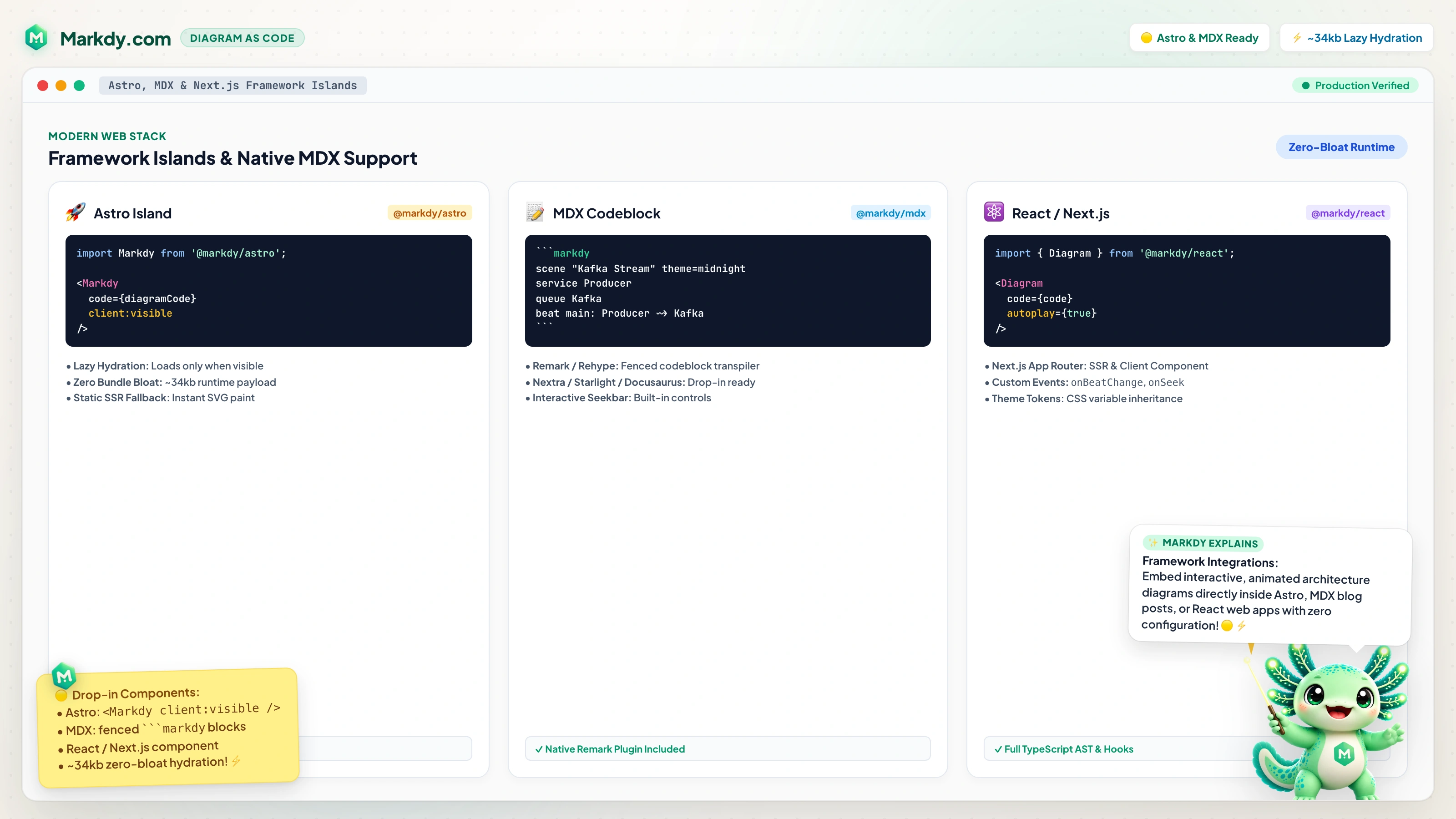
Install @markdy/astro and pass your scene as a code prop. The island hydrates only when it scrolls into view, so it never blocks your critical render path:
---
import { Markdy } from "@markdy/astro";

const code = `
  scene "Cache-Aside Architecture" theme=paper width=800 height=400
  layout LR
  browser Client "Web Client"
  gateway Gateway "API Gateway"
  service Shortener "URL Service"
  cache Redis "Redis Cluster"

  beat hit:
    show $nodes stagger=60ms
    Client -> Gateway "GET /x9" -> Shortener "resolve"
    Shortener -> Redis "GET slug:x9"
    Shortener <- Redis "200 Target URL"
    Client <- Gateway "301 Redirect"
`;
---

<Markdy code={code} width={800} height={400} bg="#fafafa" autoplay />
MDX: fenced code blocks
With @markdy/mdx you write a markdy fenced block right in Markdown — no per-file component imports:
```markdy
scene "Cache-Aside Architecture" theme=paper
layout LR
browser Client "Web Client"
gateway Gateway "API Gateway"
service Shortener "URL Service"
cache Redis "Redis Cluster"

beat hit:
  show $nodes stagger=60ms
  Client -> Gateway "GET /x9" -> Shortener "resolve"
  Shortener -> Redis "GET slug:x9"
  Shortener <- Redis "200 Target URL"
  Client <- Gateway "301 Redirect"
```
The remark plugin turns that block into a lazy-loaded diagram component. Your authors keep writing Markdown; the diagrams come along for free.
Why this beats a screenshot
- Never stale. The diagram updates in the same commit as the doc — true diagrams as code.
- SEO- and crawler-friendly. Real text and elements, plus an SSR placeholder and
<noscript>fallback for indexing. - No layout shift. The placeholder reserves the exact aspect ratio before hydration.
- Lightweight. It's browser-native motion — no Canvas, no GSAP, no video embed.
A tidy docs workflow
- Draft the scene in the playground until it looks right.
- Commit the
.markdysource (or inline it) next to the doc. - Lint diagrams in CI with
markdy lintso a broken diagram fails the build. - Let an AI agent keep them updated as the system changes.
Read the documentation for the full component API, then ship docs where the diagrams move with your system instead of drifting away from it.